
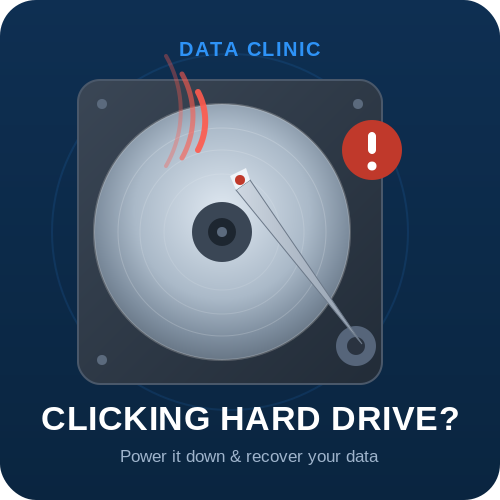
A hard drive that suddenly starts clicking is one of the most alarming sounds in computing — and one of the most misunderstood. The good news: in most cases the data is still recoverable. The bad news: every extra minute the drive stays powered on makes that recovery harder. This guide explains exactly what the clicking means, what to do in the first five minutes, the mistakes that destroy data for good, and how professional recovery actually works in the UK.
- What to do right now (the 60-second answer)
- Why is my hard drive clicking?
- Common causes of the clicking sound
- What NOT to do — the myths that destroy data
- Safe checks before you assume the worst
- Can data be recovered from a clicking drive?
- How much does it cost, and how long does it take?
- Frequently asked questions
What to do right now (the 60-second answer)
If your hard drive is clicking, beeping or buzzing, the single most important thing you can do is stop using it immediately:
- Do not restart it “just to check.” Repeated power cycling is the number-one cause of recoverable data becoming unrecoverable.
- Do not run recovery software. Software cannot fix a mechanical fault, and forcing the drive to stay spinning while it scans causes further harm.
- Do not open the drive. The internals must stay sealed — opening a drive outside a clean-air environment contaminates the platters in seconds.
- Note what happened. Was it dropped? Did it get hot? Did Windows or macOS stop recognising it? These details help a specialist diagnose the fault quickly.
If the data matters, the safest next step is a professional diagnosis. You can use our free online diagnostic tool to identify the likely fault in under a minute, or call our recovery team directly on 0800 151 2207.
Why is my hard drive clicking?
Inside every traditional (mechanical) hard drive, data is stored on spinning platters and read by a tiny arm called the actuator, tipped with read/write heads that float microscopically above the surface. When the drive can’t do its job, the actuator repeatedly resets to its home position and tries again — and that repeated reset is the clicking you hear. It’s often nicknamed the “click of death.”
A classic mechanical failure has a recognisable signature: the drive makes a regular clicking noise for around 20 seconds when first powered on, then spins down. You may also hear beeping (the motor trying and failing to spin up — see our full guide to a beeping hard drive) or a faint buzzing. None of these are software problems — they are physical, and they need physical tools to fix.
Common causes of the clicking sound
- Head crash or worn heads. The read/write heads have failed or made contact with the platters — the most common cause in older drives and dropped external drives.
- Physical shock. A drop, knock or bump — especially to a laptop or portable drive while it was running.
- Seized or failing spindle motor. The platters can’t spin up correctly, so the heads can’t read.
- Service area / firmware corruption. The drive can’t load the internal code it needs to initialise, so it loops.
- Power or PCB faults. A damaged circuit board or power surge can stop the heads parking and unparking correctly.
- Age and wear. Mechanical drives don’t last forever — many simply fail with time, with no dramatic trigger.
The exact cause matters, because it determines the recovery route — from a clean-room head transplant to a firmware repair. That diagnosis should always be done by a specialist with the right equipment.
What NOT to do — the myths that destroy data
Don’t put the drive in the freezer. This persistent internet myth does far more harm than good. Condensation forms inside the drive as it warms, corroding components and contaminating the platters — often making recovery impossible.
Don’t keep power-cycling it. Turning it on and off hoping it “catches” lets damaged heads grind across the surface. Each attempt can erase another band of data permanently.
Don’t open the drive yourself. Platters are read at sub-micron tolerances. A single dust particle — or a fingerprint — is enough to wreck them. Drives must be opened only in a controlled, filtered clean-air environment.
Don’t rely on recovery software. Software is for logical problems (deleted files, corruption). It cannot repair hardware, and running it on a failing drive accelerates the damage.
Safe checks before you assume the worst
Occasionally a “clicking” external drive isn’t actually failing — it’s being starved of power. Before sending a drive for recovery, it’s safe to try these non-invasive checks once:
Try a different cable and port. A worn USB cable or an underpowered port can cause an external drive to click as it struggles to spin up. Swap to a known-good cable and connect directly to the computer (not through a hub).
Try a different power source. If the drive has its own power adapter, test another known-good adapter of the correct voltage, or another mains socket.
If the clicking stops, the drive itself was probably fine — back up your data immediately and replace the cable or power supply. If the clicking continues, stop. The fault is inside the drive, and further attempts will only reduce your chances of recovery.
Not sure how serious it is?
Our free online diagnostic tool walks you through your drive’s symptoms and tells you the likely fault — in about a minute, with no obligation.
Can data be recovered from a clicking hard drive?
Yes — in the large majority of cases, provided the drive hasn’t been run into the ground first. That’s the key caveat, and the reason this guide keeps stressing it: a clicking drive that’s powered down quickly has an excellent recovery outlook; one that’s been switched on repeatedly for days does not.
Professional recovery of a clicking drive typically involves:
- Diagnosis — identifying whether the fault is heads, motor, firmware/service area or PCB.
- Clean-room repair — opening the drive in a filtered, controlled environment to replace failed heads or other components using matched donor parts.
- Imaging — making a sector-by-sector copy of the repaired drive onto healthy hardware, reading around bad areas to capture as much as possible.
- Rebuilding — reconstructing the file system from the image and extracting your files to a new device.
This is specialist work. At Data Clinic we’ve been performing hard drive data recovery on failed and clicking drives since 2002, across every make, model and capacity. If your clicking drive is part of a RAID array or server, or a NAS box, power the whole unit down and call us — don’t attempt a rebuild, as that can overwrite recoverable data.
How much does it cost, and how long does it take?
We operate an open, transparent pricing policy and a ‘No Data, No Fee’ guarantee on most single mechanical hard drive recoveries — if we can’t recover your data, you don’t pay the recovery fee. Here’s how it works:
- Free collection & diagnosis. Call us or submit an enquiry and we’ll arrange free courier collection from any UK address. Diagnosis is free.
- A fixed quote before any work. After diagnostics we confirm the exact cost to recover your data to a new device. You decide whether to proceed — no surprises.
- Recovery. On a successful recovery your files are returned on a new drive. If you choose not to proceed after diagnosis, your device is returned for a £20+VAT handling fee.
For turnaround, we offer three service levels: Standard (5–20 working days), and fast-tracked Priority and Emergency options when data loss is business-critical or time is against you. Our team is available 24/7 on 0800 151 2207.
Got a clicking drive right now?
The sooner it’s in expert hands, the better your chances. Free UK collection, free diagnosis, and No Data – No Fee on most hard drive recoveries. Leave your details and a specialist will call you back.
✓ Thank you — we have your details
One of our data recovery specialists will call you back shortly. If it’s urgent, call us free now on 0800 151 2207.
Prefer to talk it through?
Frequently asked questions
Is a clicking hard drive always dead?
No. Clicking signals a mechanical fault, but it doesn’t mean the data is gone. With the right clean-room equipment, most clicking drives can be recovered — as long as they’re powered down quickly rather than run repeatedly.
Can I fix a clicking hard drive myself?
Realistically, no. The fault is physical and inside a sealed unit that must only be opened in filtered clean-air conditions. DIY attempts — including the freezer trick or opening the drive — usually cause permanent data loss. The safe option is professional diagnosis.
Why does putting it in the freezer not work?
It’s a myth. Cooling may seem to help for a few seconds, but condensation forms inside the drive as it warms, corroding internal parts and contaminating the platters — making recovery harder or impossible.
How much does it cost to recover a clicking hard drive?
Data Clinic provides a fixed quote after a free diagnosis, with no charge if we can’t recover your data (No Data – No Fee on most single mechanical drives). Cost depends on the fault and the work involved; you approve the price before any recovery begins.
How long can I keep using a clicking drive?
You shouldn’t use it at all. Every minute it runs risks further physical damage. Power it down and seek a diagnosis — the condition of the drive when it reaches a specialist is the biggest factor in a successful recovery.
My external/portable drive clicks — is it the same problem?
Often yes, but sometimes a portable drive clicks because it isn’t getting enough power. Try a different cable and a direct port once. If the clicking continues, treat it as a mechanical fault: stop, and get it diagnosed.
About Data Clinic — A UK data recovery specialist since 2002, recovering data from hard drives, RAIDs, servers, NAS, SSDs and phones. Fully GDPR-compliant (ICO Reg: Z1209280), trusted by organisations including the BBC, Rolls-Royce and Sony Pictures, and rated Excellent on Trustpilot. Free UK-wide collection and diagnosis. Freephone 0800 151 2207.