- Data Recovery Home
- Data Recovery Services
- Hard Drive Recovery
- External & USB Drives
- RAID / Server Recovery
- NAS
- SSD
- SD Cards
- Mobile Phones & Tablets
- CCTV & DVR
- Macs
- Windows Computers
- Lost & Deleted Files
- Advanced Forensic Data Recovery (ADR) Services
- Password Recovery
- Forensic Investigation
- Encrypted Volumes
- Bitcoin, Crypto & NFT Wallet Recovery
- Tape Recovery
- Tape eDiscovery & Conversion
- Advanced Recovery Service
- Spare Parts & Donor Drives
- Disk Manufacturers
- SCSI Data Recovery
- SQL Recovery
- How Do Hard Drives Fail ?
- Locations
- Help & Advice
- News
- About Us / Contact
What Are Hard Drive CRC Errors ?
Cyclical Redundancy Check Errors
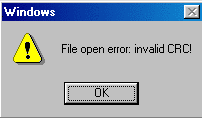
During data transfer between hard disk & computer (for example when a file is opened, or data is saved to the hard disk), a technique known as CRC is used to ensure the non-corruption of this data during transfer. If an error is detected, a CRC error is generated and the data is re-transmitted.
CRC Errors on Hard Drives
Drives that produce CRC errors frequently have difficultly reconciling the data received with the transmitted. This can be for a variety or reasons such as poor cabling, hard disk microprogram corruption, or electronic related problems
Data Recovery From Hard Disks With CRC Problems:
The likelyhood of successful data recovery is dependent on the cause of the problem and how long the problem has been occuring. Recovery can be relatively simple for electronic related issues, to complex if microcode corruption is involved. Additionally, there are several malicious programs that will cause Windows to report CRC errors.
How CRC Works
 The most common method of checking for errors after data is transmitted is by checking the parity bit of a byte or word that is transmitted. The sign of the parity bit detected at the receiver has to match that of the transmitter. If there is a mismatch, an error is flagged. Likewise, Cyclic Redundancy Check (CRC) codes can be generated for each data transmission, and these should be identical at both the transmitter and the receiver. Any differences imply an error has occurred during transmission.
CRC codes in the simplest form are generated by dividing the data to be transmitted by a predetermined divisor (or generator polynomial) using modulo-2 division. When dividing binary numbers, this can be evaluated using subtraction.
The difference between normal division and modulo-2 division in binary is that for modulo-2, XOR values are evaluated for the minuend and subtrahend. When the division is evaluated what results is a Quotient plus a Remainder.
The remainder is what constitutes the checksum. (The divisor or generator polynomial used for hard disk drives is defined as 11021h or x16 + x12 + x5 + 1)
A special feature of modulo-2 division is used for the detection of errors. In hard disk drives, the data sector is made up of 512 bytes. If this is extended by 2 bytes of 0 lengths, the new sector is 514 bytes in size. A checksum can be calculated for this 514 byte sector using modulo-2 and this will be 2 bytes in width. If the 2 zero width bytes of the 514 sector are replaced by the checksum evaluated, a method for detecting errors has been integrated into the sector.
This is because on calculating the checksum of this new 514 byte sector, this will result in a remainder of 0. If the remainder is not zero, it implies an error has occurred.
Therefore, when the device controller writes data on to the platters, it includes 2 bytes for the CRC checksum in each sector. On reading back the sectors, if the checksum is not equal to 0, then an error has occurred.
CRC checksums are also used to detect any errors during an Ultra-DMA data burst between the drive and the host pc. Both the device and host start with a seed of 4ABAh. A CRC checksum is then calculated for every transition during the DMA burst using the current CRC function and the 16-bit word being transmitted. On completion of the ultra-DMA burst, the host pc shall transmit its final calculated CRC function to the drive which then compares this to its own checksum. If there is a mismatch, it sets both the CRC flag and the ABRT flag in the device Error Register. NB. CRC checksums are only evaluated during ultra-DMA data transfer.