- Data Recovery Home
- Data Recovery Services
- Hard Drive Recovery
- External & USB Drives
- RAID / Server Recovery
- NAS
- SSD
- SD Cards
- Mobile Phones & Tablets
- CCTV & DVR
- Macs
- Windows Computers
- Lost & Deleted Files
- Advanced Forensic Data Recovery (ADR) Services
- Password Recovery
- Forensic Investigation
- Encrypted Volumes
- Bitcoin, Crypto & NFT Wallet Recovery
- Tape Recovery
- Tape eDiscovery & Conversion
- Advanced Recovery Service
- Spare Parts & Donor Drives
- Disk Manufacturers
- SCSI Data Recovery
- SQL Recovery
- How Do Hard Drives Fail ?
- Locations
- Help & Advice
- News
- About Us / Contact
Data Recovery Services by Data Clinic Ltd
Has Your Hard Drive or Phone Stopped Working?
Can’t Access Your Files? Need a Data Recovery Specialist?
> Data Clinic provide data recovery from hard drives, mobile phones, laptops, servers and RAID arrays, memory sticks / cards and other digital storage media devices. We have been providing expert data recovery services since 2002.
> Our hard drive recovery and phone recovery success rates are exceptional, making us the UK’s leading data recovery services company.
> We have a clear, open pricing policy that adapts to your individual needs, and we won’t start work on recovering the data from your device until you have agreed the cost that we have quoted. Mobile phone recovery starts from just £150, and hard drive data recovery from £245.
> Our recovery engineers work in our fully equipped lab with a Class 100 clean room. This professional clean air environment ensures the best data recovery results. We also have in excess of 10,000 hard drive and phone spare parts in stock.
> If you require data recovery urgently, we operate both Emergency and Priority data recovery services. Please call the Freephone Number to discuss. We are available 24 hours a day, 7 days a week.
> We can arrange a courier to collect your device from your home, or a convenient location; or you can bring it to one of our drop off points; or post it to us.
> Our data recovery services are safe and secure, we are registered with the Information Commissioners Office (ICO). Additional privacy measure such as Non Disclosure Agreement can also be requested where necessary.
> We are trusted by the BBC, Sony Pictures, Coldplay, Tesco, Sky, Williams F1 and many others to recover their data.
RAID Data Recovery
 Data Clinic are the only UK data recovery company with a dedicated specialist RAID recovery team, available nationwide 247. As experts in all levels of RAID, we have over 17 years experience in recovering critical data as quickly and safely as possible, often within 24 hours.
Go here for more details about our RAID data recovery
Go here for more details on our NAS data recovery
Hard Drive Recovery
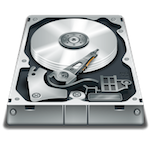 Data Clinic Ltd are the best hard drive data recovery company in the UK and our success rates are exceptional. We use advanced hardware and software hard drive recovery techniques and can recover your data from any brand of hard drive and nearly all types of hard drive failure, including:
– Broken hard drives
– Beeping, whirring, ticking and smoking hard drives
– Deleted data, corrupt files and documents
– Lost photos
– Bad sectors
– Encryption issues
– Hard drive head crash
In many cases, we offer a ‘No data – No fee’ service and we will collect your hard drive from your home or business free of charge. We will diagnose your hard drive failure and let you know the cost of recovery before we commence the recovery process. We strongly advise that you do not open your hard drive, as this is likely to damage it further. Call our Freephone no 0800 151 2207 to speak to a member of our team, for more information or visit our Hard Drive Recovery page.
Mobile Phone / Tablet Data Recovery
 Modern day mobile devices such as smartphones and tablets hold huge amounts of valuable data and Data Clinic are specialists at recovering it from nearly every situation.
Experts in Apple, Samsung, Sony, Huawei and HTC devices, and iOS and Android mobile operating systems, click for further details about our Mobile Phone and Tablet Recovery services.
CCTV DVR Data Recovery

From criminal activity to workplace incidents and accidents, Data Clinic are specialists in the recovery of CCTV data from all types of DVR system.
Perhaps you have CCTV data recorded on a DVR system that you can no longer view, maybe because the system won’t play the footage back, or it’s been deleted, or the recorder and hard drives have been damaged: as long as the data still exists Data Clinic can retrieve it.
Find our more in our CCTV DVR Data Recovery services
Forensic Data Recovery

We provide advanced forensic data recovery services from all types of digital media including hard drives, phones and CCTV systems for police forces, government agencies, regulatory bodies, councils and forensic investigators
Read more about our Forensic Data Recovery services.
Bitcoin & Cryptocurrency Recovery

Have you lost access to your Bitcoin or other cryptocurrency ? Maybe you have an old Bitcoin wallet file that is stored on a hard drive that no longer works, or maybe you’re having trouble remembering a password or some of your seed words ? Perhaps you’ve reinstalled your DeFi wallet and have lost access to your tokens?
We can help – please go to our Bitcoin and Cryptocurrency Data Recovery section.